
Simple Time Tracking
for Every Employee
Pulse Time Tracking gives your employees a simple punch clock and spreadsheet-style timesheets. No complicated setup, no training — just clock in, clock out, and export.
How It Works
Clock In. Clock Out. Done.
Employee Clocks In
Employees clock in via the Pulse web interface. Start and end times are recorded automatically with a timestamp.
Hours Accumulate
Daily hours are aggregated into spreadsheet-style timesheets. Managers can view, edit, and approve timesheets in real time.
Export for Payroll
Export timesheet data for payroll processing. Hours are summarized by employee, date range, and pay period.
See It In Action
Built for Real Teams
Employee Timesheet View
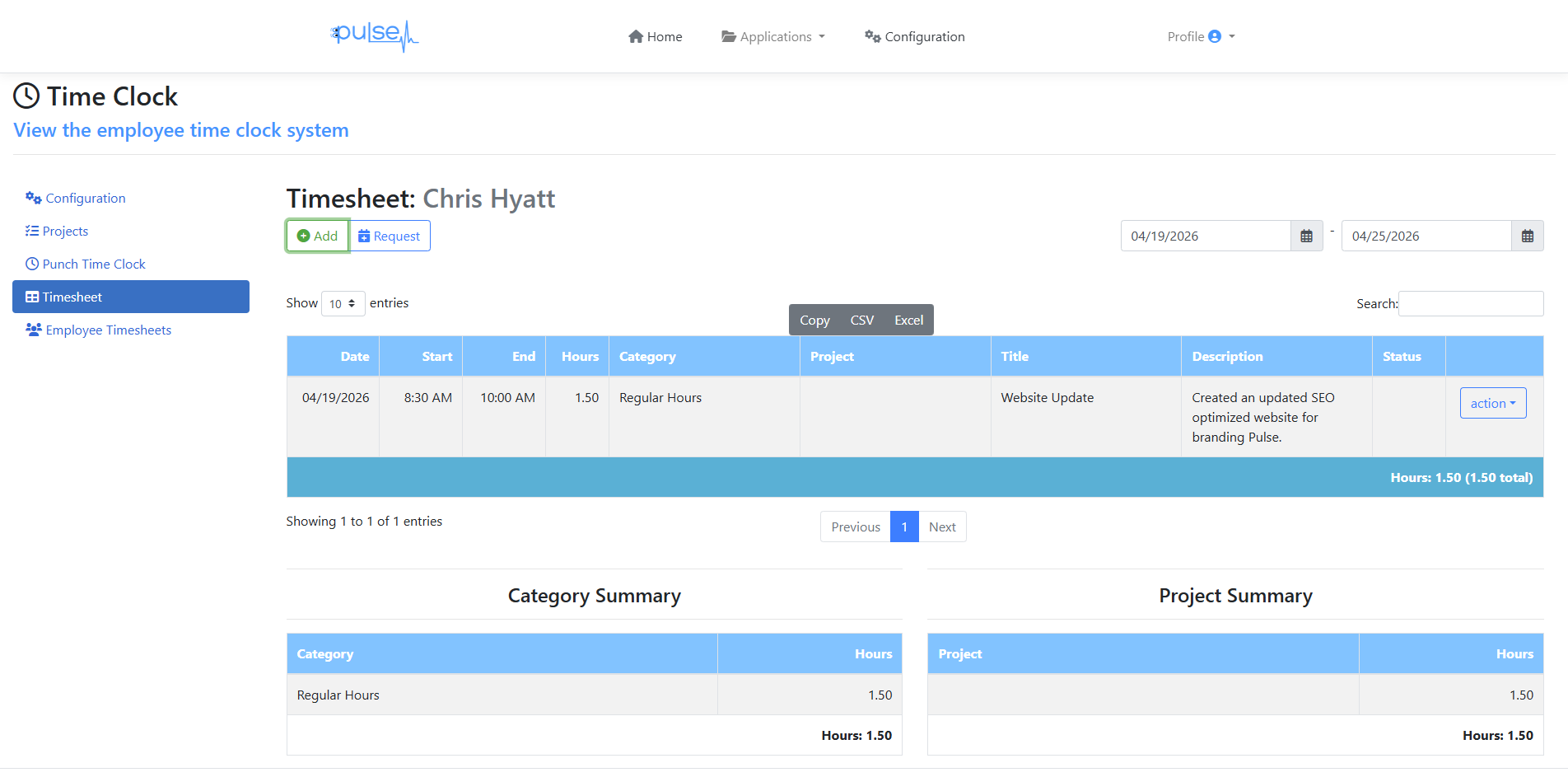
Spreadsheet-style timesheets with hours by date, project, and category — plus totals and export to CSV/Excel.
Employee Punch Clock

Clean, distraction-free punch clock — employees see the time and click Punch In. That's it.
Key Benefits
Why Teams Choose Pulse Time Tracking
Up in Minutes
No software to install on employee machines. Web-based access means employees can clock in from any device, any location.
Familiar Spreadsheet View
Timesheets look and feel like a familiar spreadsheet grid — easy for managers and employees to read and review without training.
Affordable at Any Size
At $3.00 per employee per month, a 10-person team costs $30/month. Add employees as you grow — pay only for active users.
Pricing
$3.00 per Employee per Month
Only active employees with timesheet access are billed. Scale up or down any month.
FAQ
Time Tracking Questions
Start Tracking Employee Time Today
30-day free trial. $3.00/employee/month after trial. Cancel anytime.
Create Free Account →Credit card required • Not charged until day 31