
Any Document In.
Structured Data Out.
Upload it, email it, snap it with your phone, or let AutoPull fetch it — Pulse reads every page and hands you clean, structured data. One price: $0.25/page, whether Pulse reads it with a template (OCR) or an AI prompt. Configure once and it runs in the background automatically.
How It Works
One Price. Two Ways to Extract.
Document processing costs $0.25/page no matter which method reads it. Pick a template for consistent, repeating layouts, or an AI prompt for irregular ones — both run in the background automatically.
Build a Template
Define the fields you want to extract — invoice number, vendor, totals, line items. Templates are reusable across all documents of the same type.
Documents Arrive Automatically
Upload them, email them in, snap them with your phone, or let AutoPull download them from the websites you sign in to. Supported formats: PDF, JPEG, PNG, TIFF, BMP, GIF, Excel, CSV, XML, and HTML emails.
Pulse Reads the Document
Images and PDFs are processed with optical character recognition. Spreadsheets, XML files, and HTML emails are read directly from their content.
Fields Extracted & Delivered
Structured data is populated based on your template definitions and delivered via webhook or API — push it to your accounting system, ERP, or any downstream tool automatically.
Configure Your Extraction
Choose an output format or let AI suggest one. Optionally supply an AI prompt with specific instructions or context for the extraction.
Documents Arrive Automatically
Upload them, email them in, snap them with your phone, or let AutoPull download them from the websites you sign in to. Accepts any non-binary format — PDF, DOCX, XLSX, TXT, CSV, and more.
AI Analyzes the Document
AI reads and understands the document content, applying your prompt and output format to guide what data to extract and how to structure it.
Structured Data Delivered
Output is populated in your chosen format and delivered via webhook or API — route it directly to your existing systems without manual re-entry.
Getting Documents In
Upload It. Email It. Snap It. Or Let Pulse Fetch It.
Paperwork reaches you in different ways, so Pulse takes it in different ways. However a document arrives, it goes through the same template or AI extraction — same price, same results.
Upload a File
Drop in a PDF, scan, photo, spreadsheet, or XML file from your computer and get structured data back.
Email It In
Forward invoices and receipts to your Pulse inbox, or let your email forward them automatically. Rules by sender and subject pick the right template for every vendor.
Snap a Photo
Scan paperwork on the spot with your phone's camera — no app to install. Capture a long receipt in sections, or in one smooth swipe down the page.
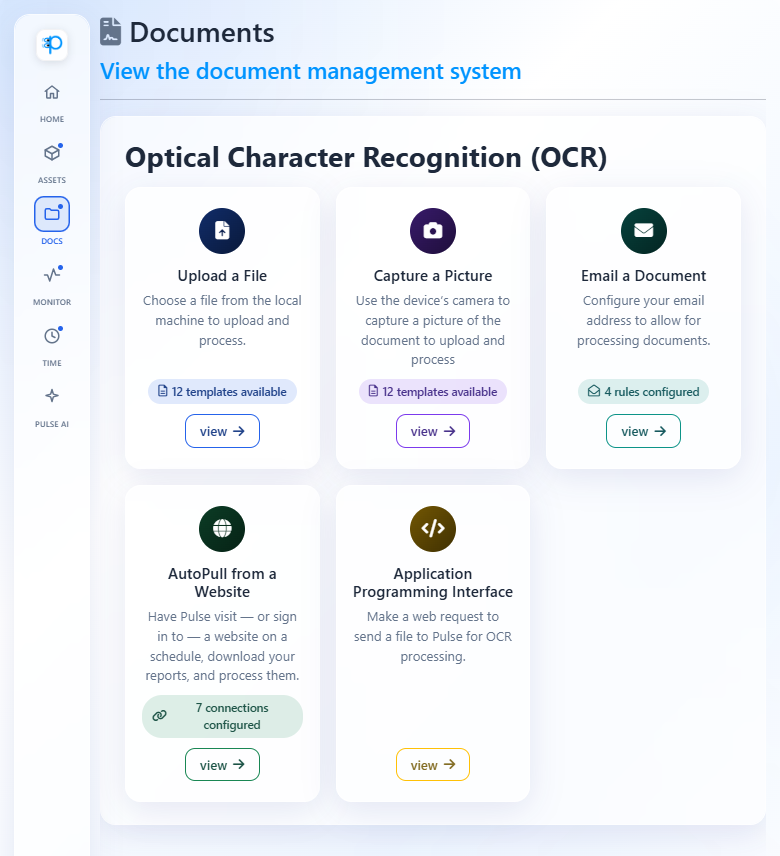
Every way in, side by side in Pulse — plus an API for developers who want to send files straight from their own systems.
Batch Scans, Sorted
One PDF In. Forty Invoices Out.
Scanned a whole stack of invoices into one PDF? Pulse works out where each document starts and ends and gives you a separate, clean record for every one — not one jumbled record for the whole file.
- Automatic: Pulse finds the boundaries for you, even when documents run different lengths.
- Every page: make each page its own record — ideal for stacks of one-page receipts.
- Whole file: keep a long contract or statement together as a single record.
Available with AI prompt extraction, at the usual $0.25 per page.
Video Tutorial
How to Build an OCR Template in Pulse
Watch a step-by-step walkthrough of creating an OCR document template — from uploading your first document to extracting structured fields automatically.
See It In Action
Real Documents. Real Results.
Upload a document and watch Pulse extract the data automatically.
AI Document Processing — Configure & Extract
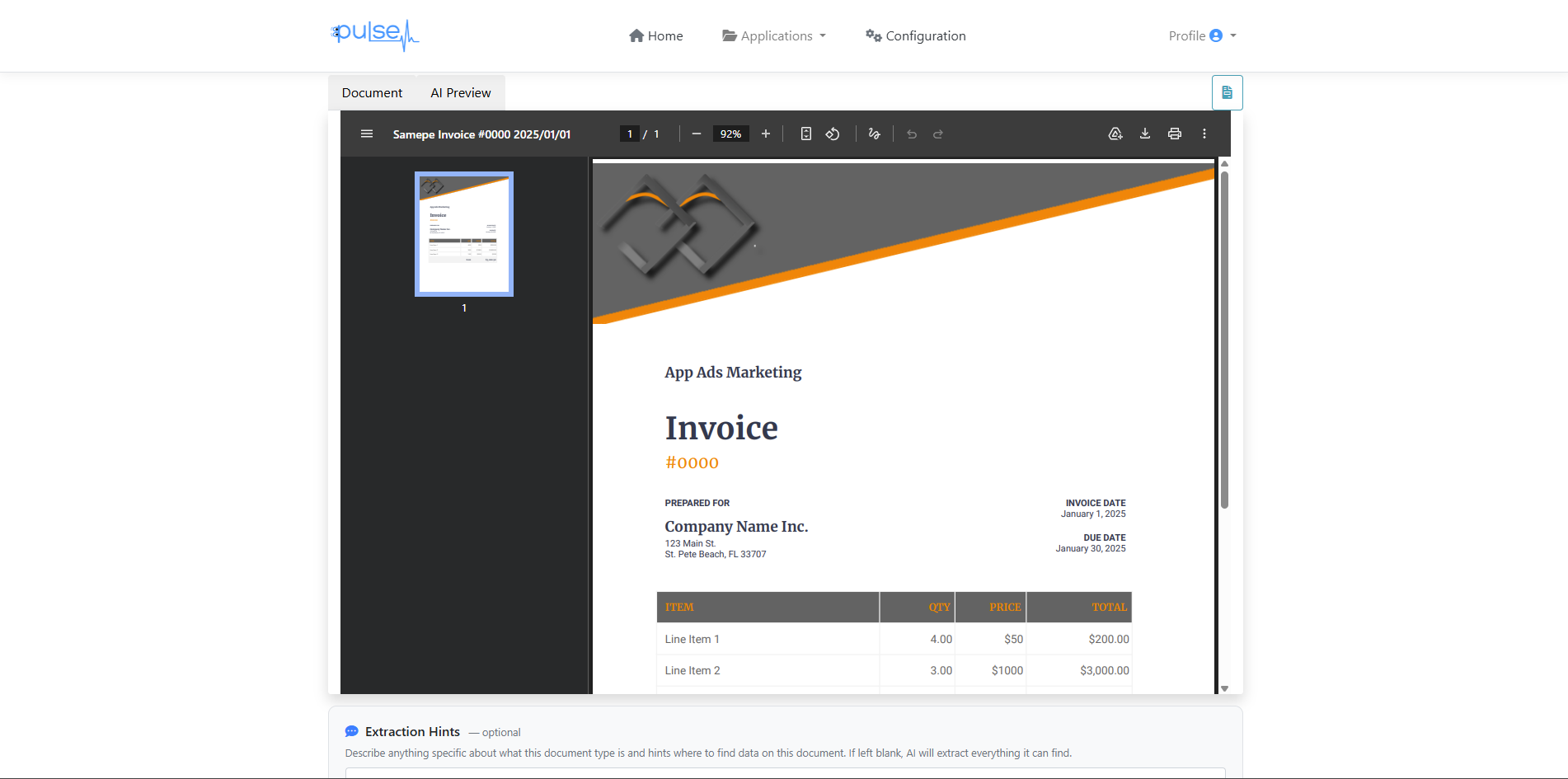
Upload any document — Pulse shows you the original and lets AI extract the fields you need.
AI Output — Structured Data in Your Chosen Format
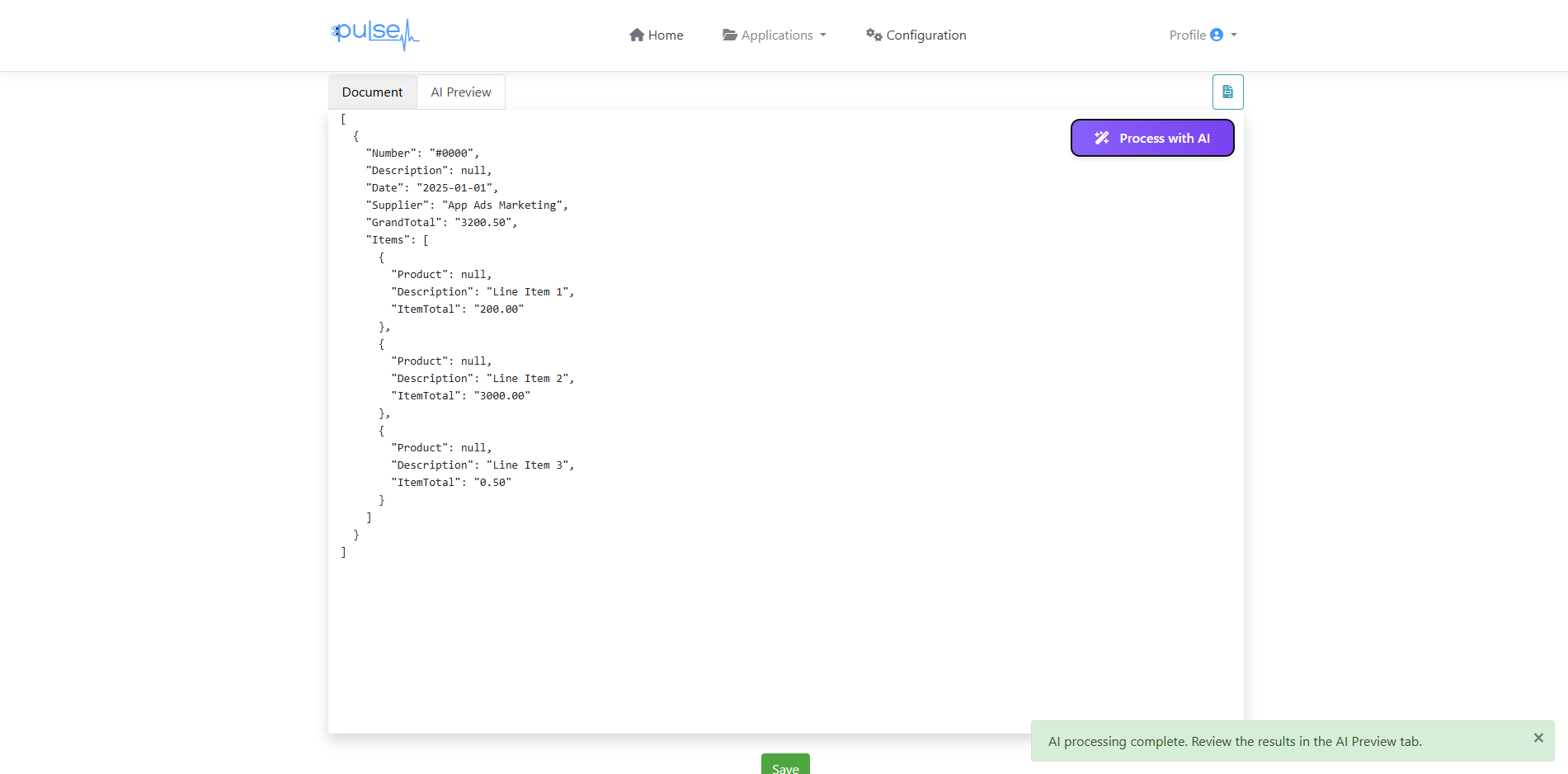
AI extracts vendor, date, totals, and line items — structured and ready to use or export.
OCR Results — All Your Processed Documents
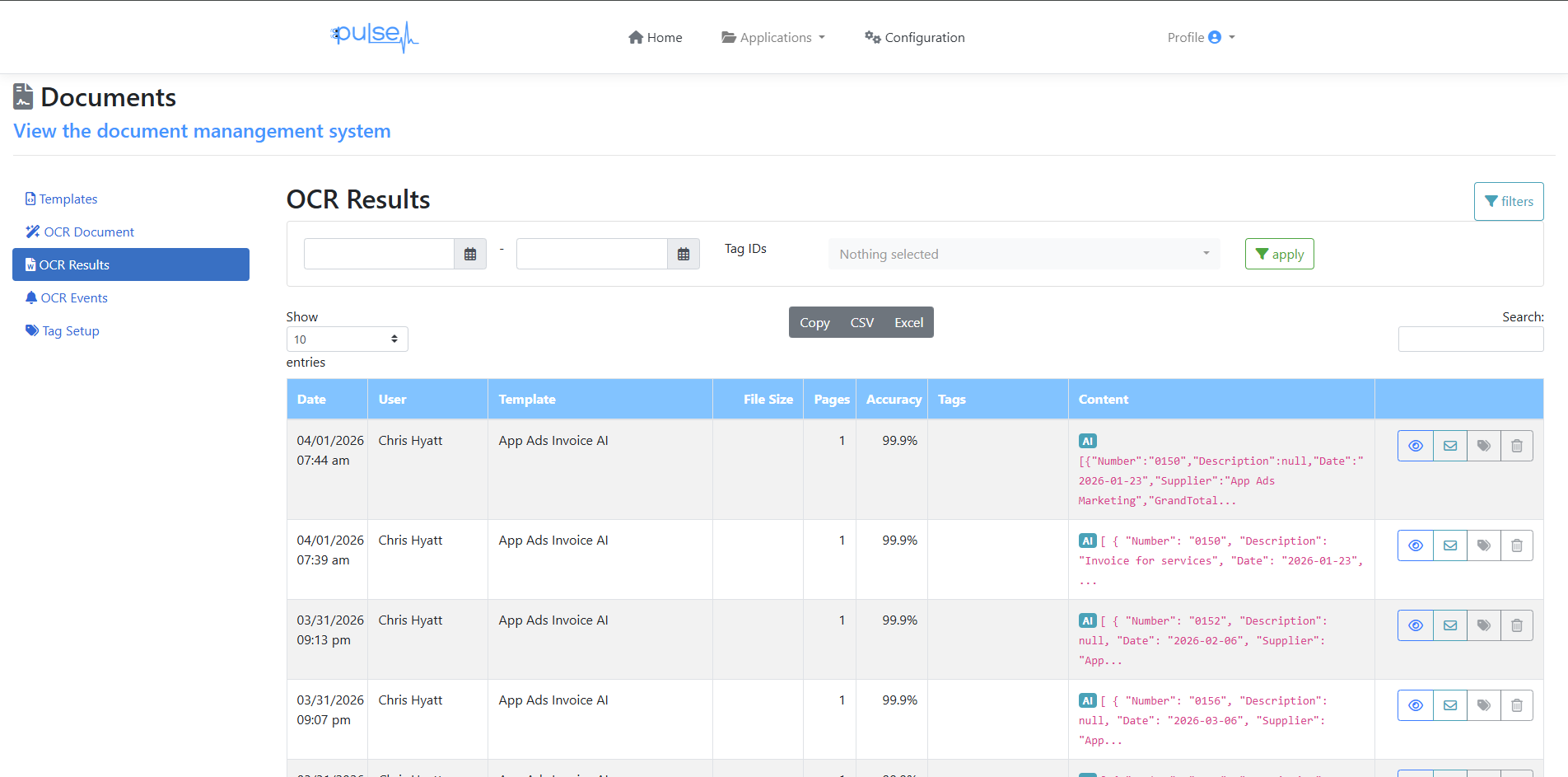
Every processed document logged with date, user, template, accuracy score, and extracted content — searchable and exportable.
Why Data Automation
The Real Cost of Manual Data Entry
Slash Data Entry Costs
Manual data entry costs $1–$5 per document when you factor in labor. Pulse processing starts at $0.25/page — often a fraction of the labor cost.
Eliminate Errors
Human data entry error rates average 1–4%. A single transposed digit on an invoice can cost far more than your entire monthly Pulse bill.
Process at Scale
Whether it's 10 documents a day or 10,000, Pulse scales without hiring. Your cost scales linearly — no overtime, no training, no sick days.
Common Use Cases
What Teams Use Data Automation For
Invoice Processing
Extract vendor, PO number, line items, and totals from supplier invoices automatically.
Field Forms
Digitize inspection reports, work orders, and field service forms — extract the data and route it automatically.
Expense Reports
Employees snap receipts with their phone or forward them by email — merchant, amount, date, and category extracted automatically.
Compliance Records
Digitize and index paper compliance documents, certificates, and audit records for searchable archives.
Data Automation Pricing
Two Simple Line Items
Only pay for what you process. No minimum volume. Scale up or down any month.
FAQ
Data Automation Questions
Start Automating Your Document Data Today
30-day free trial. Process your first documents and see the results before your first bill.
Create Free Account →Credit card required • Not charged until day 31 • Cancel anytime